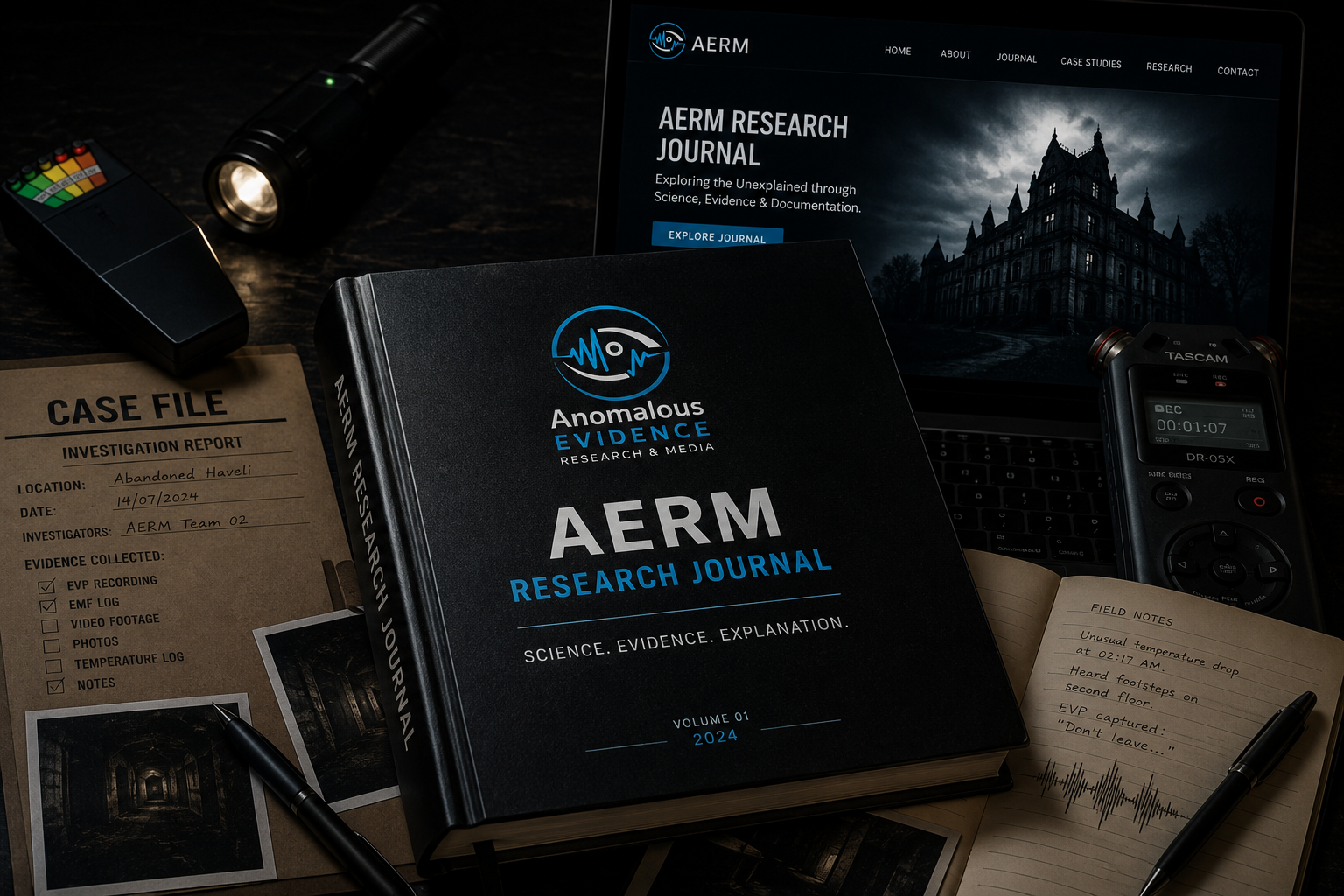
Beyond the Recording: How Audio Metadata and Signal Analysis Help Verify EVP Evidence
A recorder is placed on a table in an apparently quiet room. The team leaves it running for several minutes. Later, while reviewing the recording, someone notices a faint sound that resembles a whisper.
The clip is replayed. A phrase seems to emerge. After a few more listens, the words appear increasingly clear.
But what exactly has been recorded?
Was it a distant person, a sound from the building, interference in the recording chain, a processing artefact, or an ambiguous noise interpreted as speech? And can the audio file itself tell us when, where, and how the sound was captured?
Electronic Voice Phenomena (EVP) investigations often focus on the words a listener believes they hear. Yet the words are only one part of the evidence. The file's technical properties, recording history, acoustic environment, and processing history are equally important.
Digital audio forensics provides methods for examining these details. It cannot certify a recording as paranormal, and it cannot always identify an unknown sound source. It can, however, help investigators establish what file they received, what technical information it contains, whether it has been altered since acquisition, and how confidently a sound can be described.
This article presents an evidence-focused workflow for examining alleged EVP recordings.
1. What Is Electronic Voice Phenomena?
Electronic Voice Phenomena, commonly abbreviated as EVP, is a term used in paranormal investigation for voice-like sounds that are believed by some investigators to appear in electronic recordings without an identifiable speaker being present.
The term describes a claim or category of reported experience. It is not a scientifically established explanation for the origin of a sound.
An EVP report may involve:
- A faint sound interpreted as a word or phrase.
- A voice-like pattern noticed only during playback.
- A sound that appears beneath background noise.
- A recording in which different listeners hear different words.
- A voice-like feature that becomes more noticeable after filtering or amplification.
These cases are not all equivalent. A clearly recorded conversation from a distant room is different from a brief ambiguous sound buried in static. The strength of an interpretation depends on the quality of the recording, the available context, and whether alternative sources have been considered.
A useful starting distinction is:
- Recorded signal: the acoustic information captured by the recording system.
- Perceived voice: a listener's impression that some part of the signal resembles speech.
- Transcription: the words a listener believes are present.
- Source attribution: a claim about who or what produced the sound.
Each step adds an interpretation. Investigators should not treat them as though they are the same fact.
2. Why Audio Metadata Matters
Audio metadata is information associated with an audio file that describes aspects of its format, technical properties, or history.
Depending on the file format and recording device, metadata may include:
- File format or container.
- Audio codec.
- Sample rate.
- Bit depth, where applicable.
- Number of channels.
- Duration.
- Bit rate.
- Creation or modification timestamps.
- Device or software information.
- Embedded tags such as title, artist, or comments.
Some metadata is written by the recording device. Other information may be added or changed by editing software, file-transfer services, or the person handling the file.
Metadata is useful, but it is not a complete or tamper-proof history of a recording.
2.1 Sample rate
The sample rate is the number of audio samples captured per second, measured in hertz (Hz).
Common sample rates include:
- 44,100 Hz (44.1 kHz).
- 48,000 Hz (48 kHz).
- 96,000 Hz (96 kHz).
A higher sample rate does not automatically mean that a recording is better evidence. The microphone, recorder, acoustic environment, gain settings, and recording conditions all matter.
The sample rate also limits the highest frequency that can be represented without aliasing. Under the Nyquist-Shannon sampling principle, the sampling frequency must be greater than twice the highest frequency being represented. Practical recording systems also require suitable anti-aliasing filters.
2.2 Bit depth
For uncompressed PCM audio, bit depth describes the number of bits used to represent each sample's amplitude.
Common PCM formats include 16-bit and 24-bit audio. Greater bit depth can provide a larger theoretical dynamic range, but it does not repair poor microphone placement, clipping, excessive background noise, or an unsuitable recording environment.
Do not assume that a file advertised as “high resolution” contains useful evidence of a faint voice.
2.3 Channels
An audio file may be mono, stereo, or contain more channels.
Stereo recordings can preserve spatial differences between microphones or channels, but the presence of two channels does not automatically reveal the direction or location of a sound. The microphone arrangement and recording geometry must be known.
2.4 Codec and compression
Audio may be stored as uncompressed PCM, losslessly compressed audio, or lossy compressed audio.
Examples include:
- WAV containers commonly holding PCM audio.
- FLAC, a lossless audio codec.
- MP3, a lossy audio codec.
- AAC, a lossy audio codec commonly used in consumer devices.
A file extension alone does not guarantee the internal encoding. A WAV file, for example, is a container and can hold different audio encodings.
Lossy compression may remove or alter some signal information. Repeated conversion between formats can make later analysis less reliable.
3. Inspecting Audio Files With MediaInfo and FFprobe
Before listening for alleged voices, record the file's technical properties.
Two useful tools are MediaInfo and FFprobe, which can report details about many audio formats.
3.1 MediaInfo
MediaInfo provides a readable summary of media-file properties.
Example command:
mediainfo recording.wav
Depending on the file, the output may include:
- Format and codec.
- Duration.
- Bit rate.
- Sample rate.
- Channel count.
- Bit depth.
- Encoder or writing application.
3.2 FFprobe
FFprobe is included with FFmpeg and can report stream and container information.
ffprobe -hide_banner -i recording.wav
For a compact stream report:
ffprobe -v error -show_streams -show_format recording.wav
To request selected fields:
ffprobe -v error \ -show_entries format=filename,format_name,duration,size,bit_rate \ -show_entries stream=codec_name,sample_rate,channels,channel_layout,bits_per_sample \ -of json recording.wav
The output describes the file as it exists at the time of examination. It does not prove that the file came directly from the recorder or that its metadata has never been changed.
4. Preserve the Original Recording
As with digital photographs, the original audio file should be preserved before analysis begins.
Do not use the only copy of a recording for trimming, filtering, denoising, normalising, or format conversion.
A basic evidence workflow is:
- Receive the file using a documented transfer method.
- Record the date, time, source, and person supplying it.
- Preserve the supplied file unchanged.
- Calculate a cryptographic hash.
- Create a working copy for analysis.
- Record every processing step applied to that copy.
- Retain the original and all relevant derived versions.
4.1 Calculate a SHA-256 hash
On Windows PowerShell:
Get-FileHash ".\evp-recording.wav" -Algorithm SHA256
On Linux:
sha256sum evp-recording.wav
A matching SHA-256 hash indicates that two files are byte-for-byte identical. A different hash indicates that their contents differ.
A hash cannot prove that the recording was genuine when first captured. It only provides a way to check whether a particular file has changed since the hash was calculated.
4.2 Evidence log
| Field | Information to record | |---|---| | Case ID | Unique investigation reference | | Evidence ID | Unique audio-file reference | | Original filename | Filename as received | | File format | WAV, MP3, FLAC, AAC, etc. | | Duration | Reported duration | | Sample rate | Reported value | | Bit depth | If applicable and available | | Channels | Mono, stereo, or multichannel | | Date received | Acquisition date and time | | Source | Person or organisation supplying it | | Transfer method | Memory card, cable, email, etc. | | SHA-256 | Hash calculated at acquisition | | Processing history | Every conversion, edit, or filter | | Analyst | Person conducting the examination |
5. Recording Context: The Information Metadata Cannot Replace
Metadata is only one part of a recording's history. It rarely tells the investigator everything needed to understand the event.
Ask the person who made the recording:
- What device was used?
- Which microphone was used, if external?
- Where was the recorder placed?
- Was the device handheld or stationary?
- What recording mode and gain settings were selected?
- Was automatic gain control enabled?
- Was noise reduction or voice enhancement enabled?
- Were people present in nearby rooms?
- Were fans, electrical devices, vehicles, or other sound sources operating?
- Was the recording transferred or edited before it was supplied?
- Does the original recording still exist on the device?
Also record the room layout, approximate dimensions, surfaces, doors, windows, ventilation, and nearby activity where relevant.
A recorder may capture sounds that the investigator did not notice at the time. A microphone can also respond differently from human hearing, depending on its frequency response, directionality, placement, and sensitivity.
Without context, a technical file report may describe the audio accurately while leaving the source of the sound unknown.
6. Understanding the Signal: Waveforms and Spectrograms
Two common visual tools help investigators examine audio: waveforms and spectrograms.
6.1 Waveform
A waveform displays changes in signal amplitude over time.
It can help identify:
- The start and end of a recording.
- Sudden transients, such as clicks or impacts.
- Periods of silence or low-level activity.
- Clipping or unusually high signal levels.
- Changes in amplitude.
A waveform does not show the meaning of a sound. A voice, a door creak, and a mechanical noise may all create complex waveform patterns.
6.2 Spectrogram
A spectrogram displays how signal energy is distributed across frequencies over time.
It can help identify:
- Stable tones.
- Harmonics.
- Broadband noise.
- Short transients.
- Repeating patterns.
- Changes in frequency content.
Speech often contains changing frequency structures associated with vowels, consonants, and vocal articulation. However, many non-speech sounds can also produce complex patterns.
A spectrogram is not a voice detector and cannot identify a speaker or paranormal source by itself.
6.3 Use the full recording
Do not analyse only the few seconds that appear interesting. Listen to the surrounding audio as well.
Context may reveal:
- A footstep before the alleged voice.
- A door or pipe movement.
- A distant conversation.
- A fan changing speed.
- A sound repeated at regular intervals.
- Handling noise caused by the recorder.
The sound before and after the apparent phrase may be essential to understanding it.
7. Common Signal Problems That Can Be Mistaken for EVP
Several recording and environmental effects can produce ambiguous sounds.
7.1 Microphone self-noise
Electronic microphones and preamplifiers generate some noise. Its level depends on the equipment and settings.
When a recording is made in a quiet environment and then amplified heavily, self-noise may become prominent.
7.2 Automatic gain control
Some recorders automatically adjust input gain. When the environment becomes quiet, the device may increase gain, making background noise more audible. When a loud sound occurs, it may reduce gain.
This can make a recording sound as though the room's noise level is changing independently.
Record whether automatic gain control or similar processing was enabled.
7.3 Clipping
Clipping occurs when the input signal exceeds the recording system's available level. The waveform may be cut off at its upper or lower limits, creating distortion.
Clipping can make speech less intelligible and can introduce additional frequency components.
7.4 Handling and cable noise
Touching the recorder, moving a cable, placing a device on a vibrating surface, or adjusting controls can create low-frequency thumps, scrapes, and clicks.
These sounds may be mistaken for distant movement or muffled speech.
7.5 Radio-frequency and electromagnetic interference
Some recording systems or connected accessories may be susceptible to interference. The effect depends on the device design, shielding, cabling, and environment.
Do not assume that every unusual sound is electromagnetic interference. Test the equipment in a controlled setting and compare recordings with the suspected source present and absent, where safe and practical.
7.6 Environmental sound
Fans, ventilation, plumbing, insects, animals, traffic, distant people, and building movement can all be captured by a sensitive microphone.
An apparently quiet location is not necessarily acoustically silent.
8. Audio Processing: What It Can Reveal and What It Can Change
Audio processing can make parts of a recording easier to examine. It can also change the signal and influence what a listener believes they hear.
Common operations include:
Amplification: Raises the signal level, including background noise.
Normalisation: Adjusts the signal level according to a target. It does not improve the original signal-to-noise ratio by itself.
High-pass filtering: Reduces frequencies below a selected cutoff.
Low-pass filtering: Reduces frequencies above a selected cutoff.
Band-pass filtering: Retains a selected frequency range while reducing frequencies outside it.
Noise reduction: Attempts to estimate and suppress unwanted sound. It may also remove or alter parts of a wanted signal.
Time stretching: Changes playback duration without necessarily changing pitch, depending on the algorithm. Processing artefacts may be introduced.
Pitch shifting: Changes the perceived pitch and can make a sound seem more or less voice-like.
For every operation, record the tool, version, settings, and output filename. Keep the unprocessed original available for comparison.
A critical warning about enhancement
If an ambiguous sound becomes more understandable after several filters, that does not prove the words were present in the original signal.
Processing may suppress competing sounds, but it may also create artefacts or emphasise patterns that encourage a particular interpretation.
The investigator should be able to show:
- What was audible in the original.
- What changed after processing.
- Which settings were used.
- Whether independent listeners agree on the interpretation.
- Whether the interpretation remains plausible without being suggested.
9. Independent Listening and Auditory Pareidolia
Auditory pareidolia is the perception of familiar sounds, particularly speech, in ambiguous audio.
It is relevant to EVP review because a listener may interpret noise or an unclear sound as a word. Expectations can influence that interpretation.
A simple safeguard is to collect independent first impressions.
- Give each listener the same unmodified audio.
- Do not tell them the suspected phrase.
- Ask them to write down what they hear, including “no intelligible speech.”
- Collect responses before any group discussion.
- Compare the descriptions.
- Only then discuss possible interpretations.
If listeners hear different words, report that disagreement. Do not select the most dramatic interpretation and present it as the definitive transcription.
Even when several listeners independently report the same phrase, that agreement does not identify the source. It is one piece of information that should be considered with the recording quality and context.
10. A Practical AERM Audio Examination Workflow
The following workflow is designed for consistent documentation. It is not a method for proving paranormal activity.
Stage 1: Acquisition and preservation
- Obtain the original recording where possible.
- Record who supplied it and how it was transferred.
- Preserve the received file unchanged.
- Calculate a SHA-256 hash.
- Create a separate working copy.
Stage 2: Technical inspection
- Identify the file format and codec.
- Record sample rate, bit depth if available, channel count, and duration.
- Inspect available metadata.
- Note any missing or unusual fields.
- Avoid treating metadata as a complete or verified recording history.
Stage 3: Context collection
- Record the device and microphone.
- Document placement and settings.
- Describe the acoustic environment.
- Record people, animals, and equipment that may have been present.
- Establish whether the file was previously edited or shared.
Stage 4: Initial listening
- Listen to the complete original at a normal playback level.
- Record observations before suggesting a phrase.
- Note the exact time interval of any sound of interest.
- Distinguish clear speech from uncertain or voice-like sound.
Stage 5: Signal analysis
- Inspect the waveform and spectrogram.
- Check for clipping, transients, recurring tones, and background noise.
- Review the sound in its full context.
- Compare channels separately if the recording is stereo or multichannel.
- Use processing only on documented working copies.
Stage 6: Alternative-source assessment
Consider:
- Distant human speech.
- Radio or television.
- Mechanical and ventilation sounds.
- Plumbing and building noises.
- Animals and insects.
- Handling noise.
- Microphone and electronic noise.
- Compression or processing artefacts.
- Auditory pareidolia.
Test plausible sources where possible. Do not claim that a source has been ruled out merely because it was not immediately identified.
Stage 7: Independent review
- Ask reviewers to listen without a suggested phrase.
- Preserve their first impressions.
- Record disagreements and uncertainty.
- Avoid group discussion before individual reports are submitted.
Stage 8: Reporting
State what was received, what was examined, which tools and settings were used, what was observed, and what could not be established.
Use cautious terms such as “voice-like sound,” “ambiguous acoustic event,” or “unidentified sound” when the recording does not support a clear transcription or source attribution.
11. Example: Examining a Reported Whisper
Consider a hypothetical recording made in an empty building. During playback, a team member believes a faint sound says, “Come here.”
A responsible examination might proceed as follows.
Initial file: The investigator receives an audio file through a messaging service. The original recorder file is not supplied.
Metadata review: FFprobe reports a compressed audio stream with a particular sample rate, channel count, and duration. These details describe the received copy, not necessarily the original recording settings.
Context review: The witness reports that a ventilation fan was operating in an adjacent room. The exact recorder position and gain settings are unknown.
Listening review: Three reviewers listen independently. One hears a possible phrase, one hears a brief mechanical sound, and one reports no intelligible speech.
Signal review: The waveform shows a short low-level event. The spectrogram shows energy across a range of frequencies, but the pattern is not sufficient to identify a speaker.
Processing review: A filtered copy makes the event more prominent, but the proposed words are not consistently identified by the reviewers.
Finding: The supplied file contains a brief ambiguous sound. The available copy and contextual information are insufficient to establish that it is intelligible speech or to identify its source. The original recording and a controlled comparison with the ventilation system would be useful for further examination.
This conclusion is more informative than labelling the clip either “a ghost voice” or “fake.” It states what the evidence supports and what remains unknown.
12. What Audio Metadata and Analysis Can—and Cannot—Establish
| Examination | What it may support | What it cannot establish alone | |---|---|---| | File metadata | Technical properties of the supplied file | Complete, untampered recording history | | SHA-256 hash | Whether two files are byte-for-byte identical | Whether the original recording is authentic | | Waveform | Amplitude changes and timing | Meaning or source of a sound | | Spectrogram | Frequency content over time | Identity of a speaker or paranormal origin | | Filtering | A view of selected frequency components | That newly prominent words were present as clear speech | | Independent listening | Whether reviewers report similar perceptions | Identity or nature of the sound source | | Environmental comparison | Whether a suspected ordinary source can produce a similar sound | That every possible alternative has been excluded |
The most important limitation is this: an audio file can preserve a sound without preserving enough information to identify its source.
13. Ethical and Safety Considerations
Audio recordings may capture private conversations, personal information, or people who did not know they were being recorded.
Investigators should:
- Obtain permission before recording where required.
- Follow applicable laws and site rules.
- Avoid publishing private conversations without appropriate consent.
- Protect identifying information in recordings and metadata.
- Keep original evidence secure.
- Avoid editing clips in a way that misrepresents what was recorded.
- Clearly label illustrative, processed, or reconstructed audio.
- Avoid making accusations about individuals based on ambiguous sounds.
Do not enter restricted or unsafe buildings to obtain recordings. Electrical systems, unstable structures, hazardous air, and other risks must be assessed before any investigation.
14. AERM Research Perspective
At AERM, an audio recording is treated as digital evidence that requires preservation, context, and careful analysis.
A faint voice-like sound may be worth investigating, but its apparent words are not enough to establish its source. Metadata can describe a file's technical properties. Hashes can help verify that a file has not changed since acquisition. Signal analysis can reveal patterns in the recorded sound. Independent listening can help expose the influence of suggestion.
None of these methods independently proves a paranormal explanation.
AERM's working principle is:
No anomaly is considered paranormal until environmental, psychological, technical, and scientific explanations have been systematically evaluated.
The investigator's responsibility is to preserve the recording, explain the method, acknowledge uncertainty, and avoid claiming more than the evidence supports.
Conclusion
EVP investigations should go beyond listening for a mysterious phrase. The original file, metadata, recording device, microphone placement, acoustic environment, signal characteristics, and processing history all matter.
Audio metadata can help describe the file, but it is not a complete chain of custody. A waveform and spectrogram can help examine a signal, but they do not identify its source. Filtering can make a sound easier to hear, but it can also change the signal and influence interpretation. Independent listening can reduce suggestion, but agreement does not prove who or what produced a sound.
A reliable investigation preserves the original, documents every step, tests ordinary explanations, and reports ambiguous results honestly.
Sometimes the most scientifically valuable outcome is not a confirmed voice. It is a clear record showing exactly what was heard, how it was examined, and why the source remains unidentified.
---
References and Further Reading
These sources provide background on digital audio, sampling, audio metadata, signal processing, and digital evidence. Verify the relevant edition and documentation before using them in formal academic work.
- International Organization for Standardization. (2012). ISO/IEC 27037:2012 — Guidelines for Identification, Collection, Acquisition and Preservation of Digital Evidence. ISO/IEC.
- Lyons, R. G. (2011). Understanding Digital Signal Processing (3rd edition). Prentice Hall.
- Oppenheim, A. V., & Schafer, R. W. (2010). Discrete-Time Signal Processing (3rd edition). Pearson.
- Pohlmann, K. C. (2010). Principles of Digital Audio (6th edition). McGraw-Hill.
- International Telecommunication Union. Recommendation ITU-R BS.1770: Algorithms to Measure Audio Programme Loudness and True-Peak Audio Level. ITU.
- FFmpeg Project. FFprobe Documentation. https://ffmpeg.org/ffprobe.html
- MediaArea. MediaInfo Documentation. https://mediaarea.net/en/MediaInfo
- Audacity Team. Audacity Manual. https://manual.audacityteam.org/
About AERM
Anomalous Evidence Research & Media (AERM) is an independent research and media initiative focused on the systematic documentation and evaluation of unusual reports. Its approach combines environmental assessment, witness documentation, scientific reasoning, and evidence analysis.
AERM does not treat an unexplained recording or voice-like sound as proof of a paranormal cause. Each report should be evaluated against plausible environmental, perceptual, psychological, and technical explanations.
Educational disclaimer: This article is for general educational and research-awareness purposes. It is not a formal forensic certification, legal opinion, or guarantee that a recording is authentic. Obtain appropriate permission before recording or sharing audio, preserve original files, and consult a qualified digital-forensics professional when findings may be used in legal or disciplinary proceedings.